See what an AI sees when it reads you.
See how AI models read your pages, and what they miss.

 Carla Inocta
Many people now ask an AI before they search. If it cannot read your site, you are not in the answer.
AI visibility is three plain questions. Can AI find you? Can AI read the page? Can an agent act on your site? This tool answers each one from your own public files.
What it is
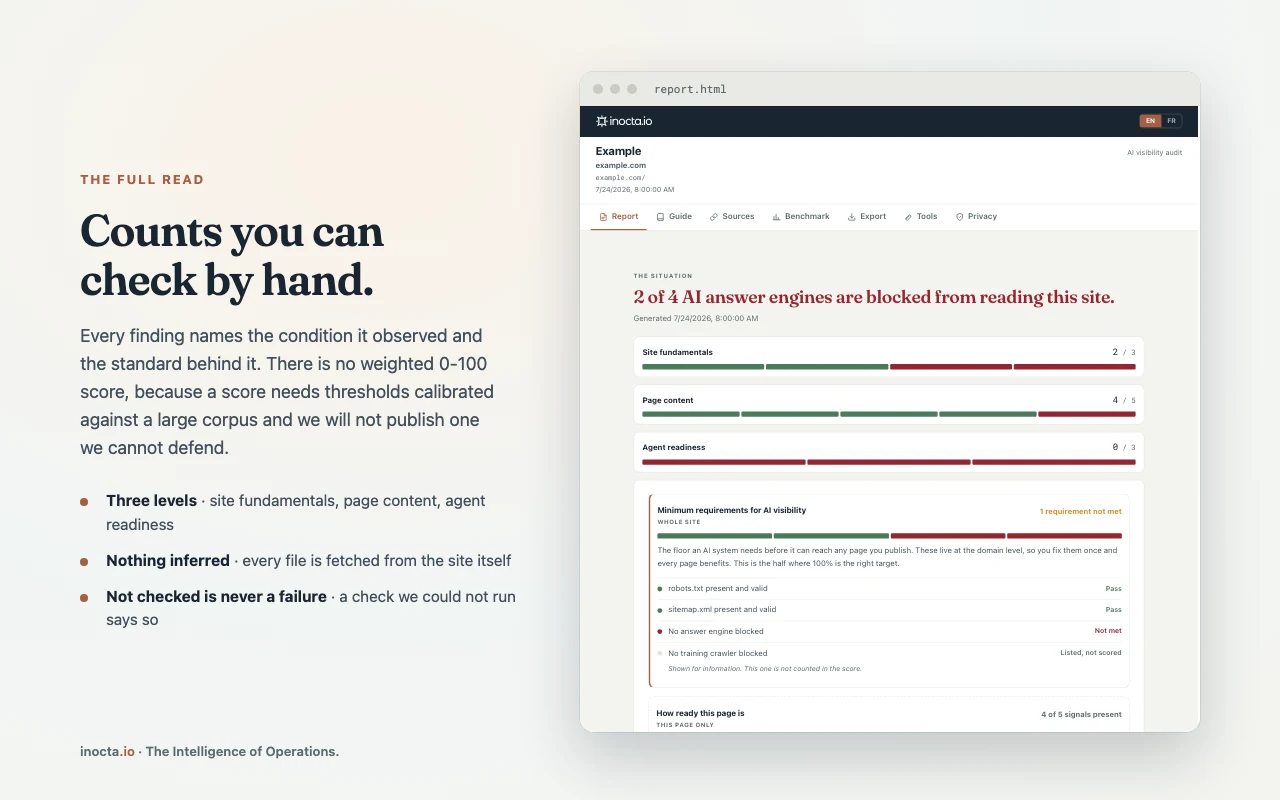
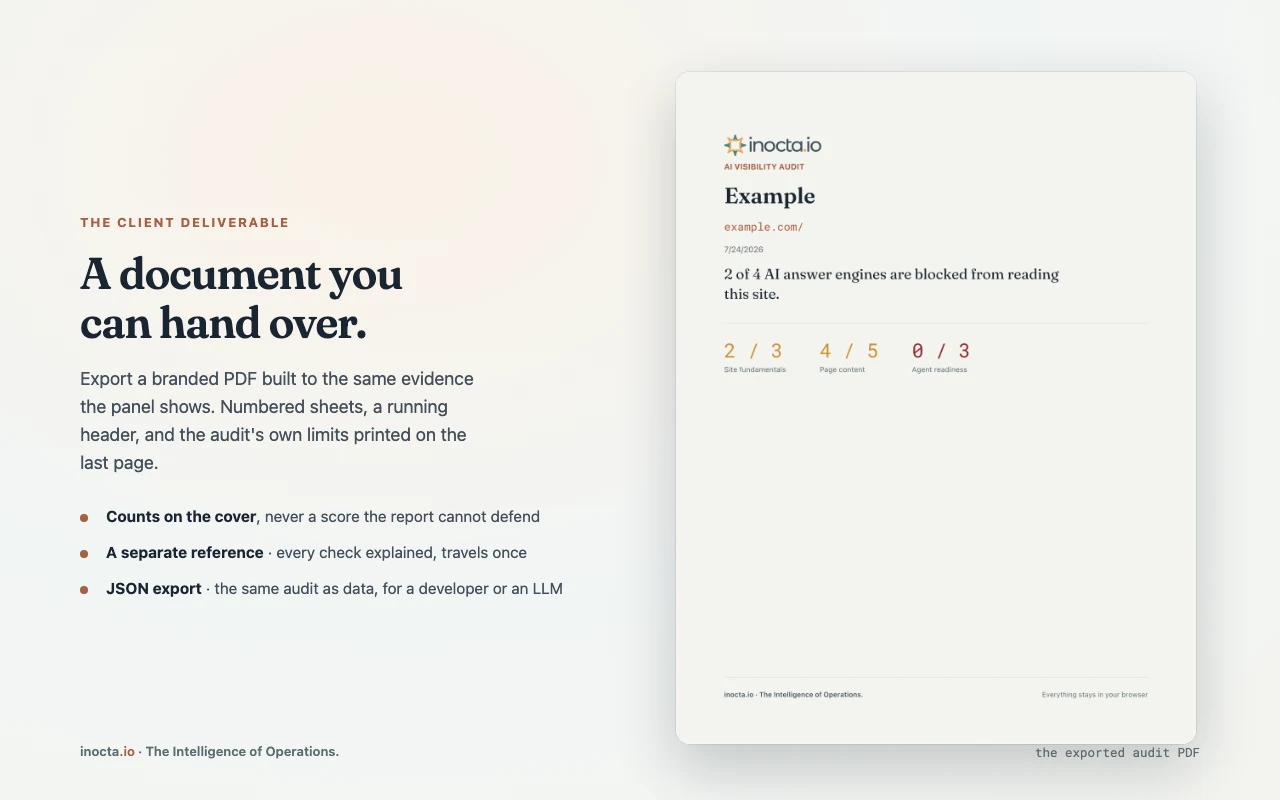
A free Chrome extension that opens in the side panel on any page. It reads that page and the public files an AI crawler looks for on the domain: robots.txt, sitemap.xml and llms.txt. It then tells you what an AI system can and cannot do with your site. You get three counts you can check by hand, not one score. Everything runs in your browser. Nothing is sent to inocta.io.
Who it is for
Leaders, marketing teams and web teams who want to know if AI assistants can reach their site, before they pay for a fix. Agencies and developers also use it to give a client a clear report.
Not for: A promise that an AI will cite you. The tool measures your setup against published practice. It cannot see how any AI system treats your site, and it gives no revenue estimate.
How it works
Install it, open a page
Add the extension from the Chrome Web Store. Open any page of your site, then open the side panel.
Allow the scan
The extension asks permission for that one site, then reads the page and the public files. A file it cannot read shows as not checked, never as a failure.
Read the three counts
Site fundamentals tell you if AI crawlers can reach you. Page content tells you what the page gives an AI to work with. Agent readiness tells you if an agent can use the page. The tool also separates answer engines from training crawlers. A blocked answer engine costs you citations. A blocked training crawler is a rights decision.
Fix, export, compare
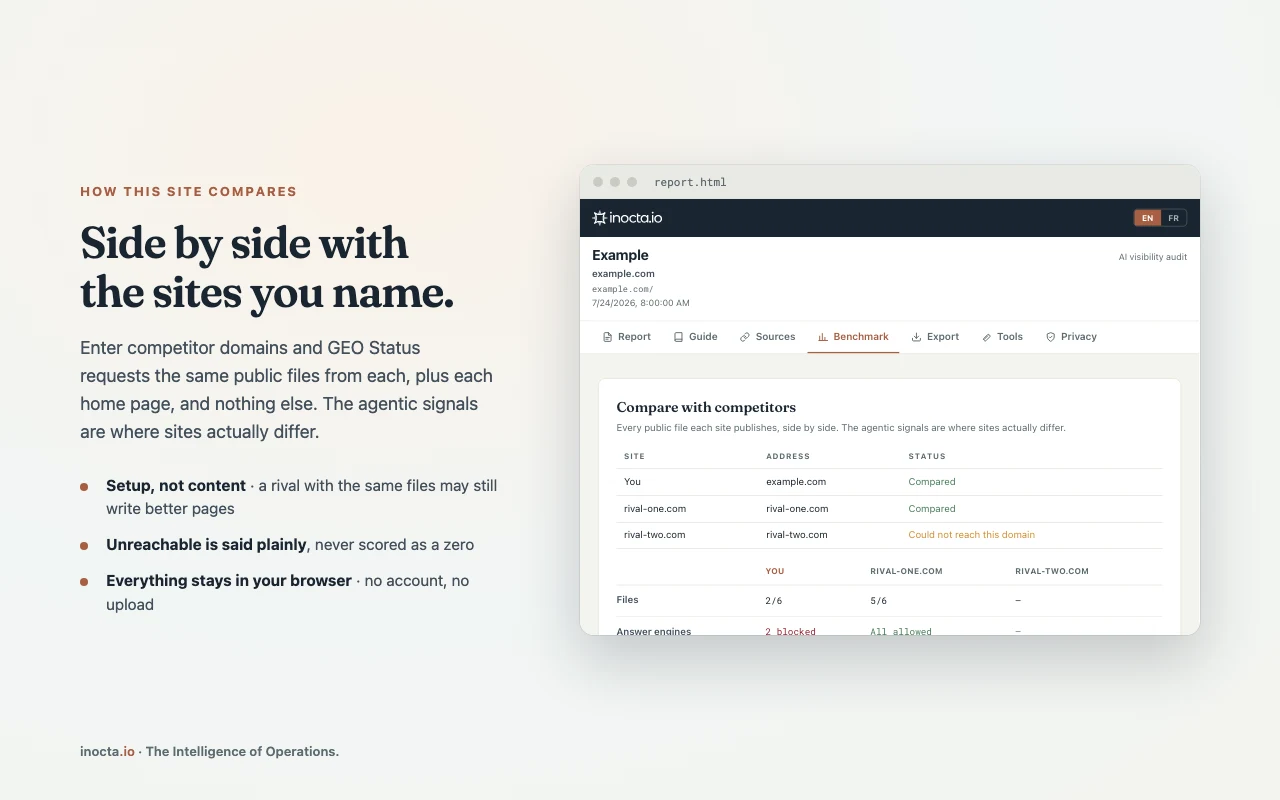
The fix list starts with the lowest effort, and each fix says what it means, why it matters and how to make it. Export a PDF or a JSON file, or compare your setup with the sites you name.
Free, no account. Installs in Chrome from the Chrome Web Store.
Three ways to reach us.
A person reads every message.